Import Surfaces
3D Surface geometries and layers can import imported into AlmaSim via the Build Mode > Network Module and pressing the Import button within the `Surface' panel.
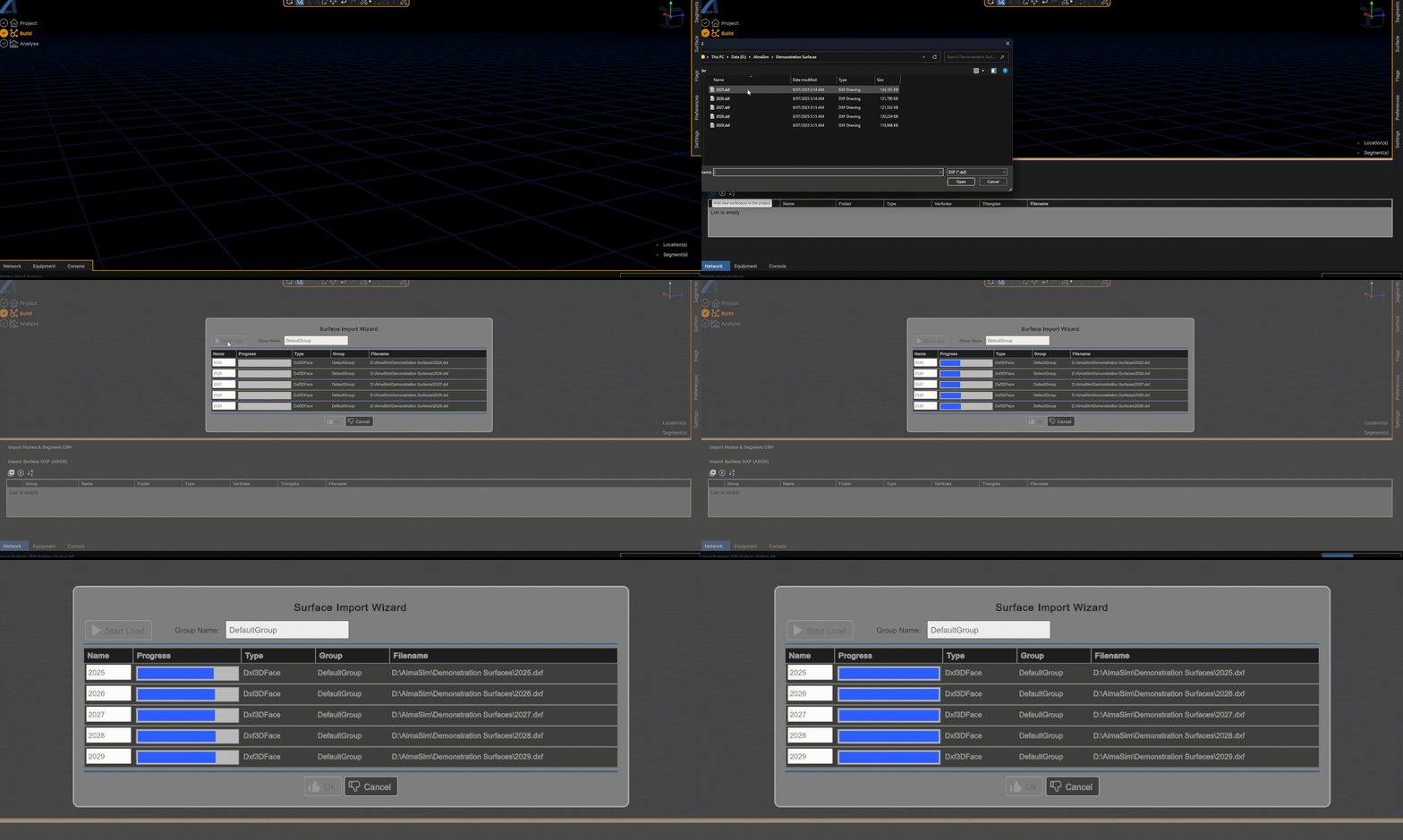
A file chooser window will appear where single or multiple surface files can be selected.
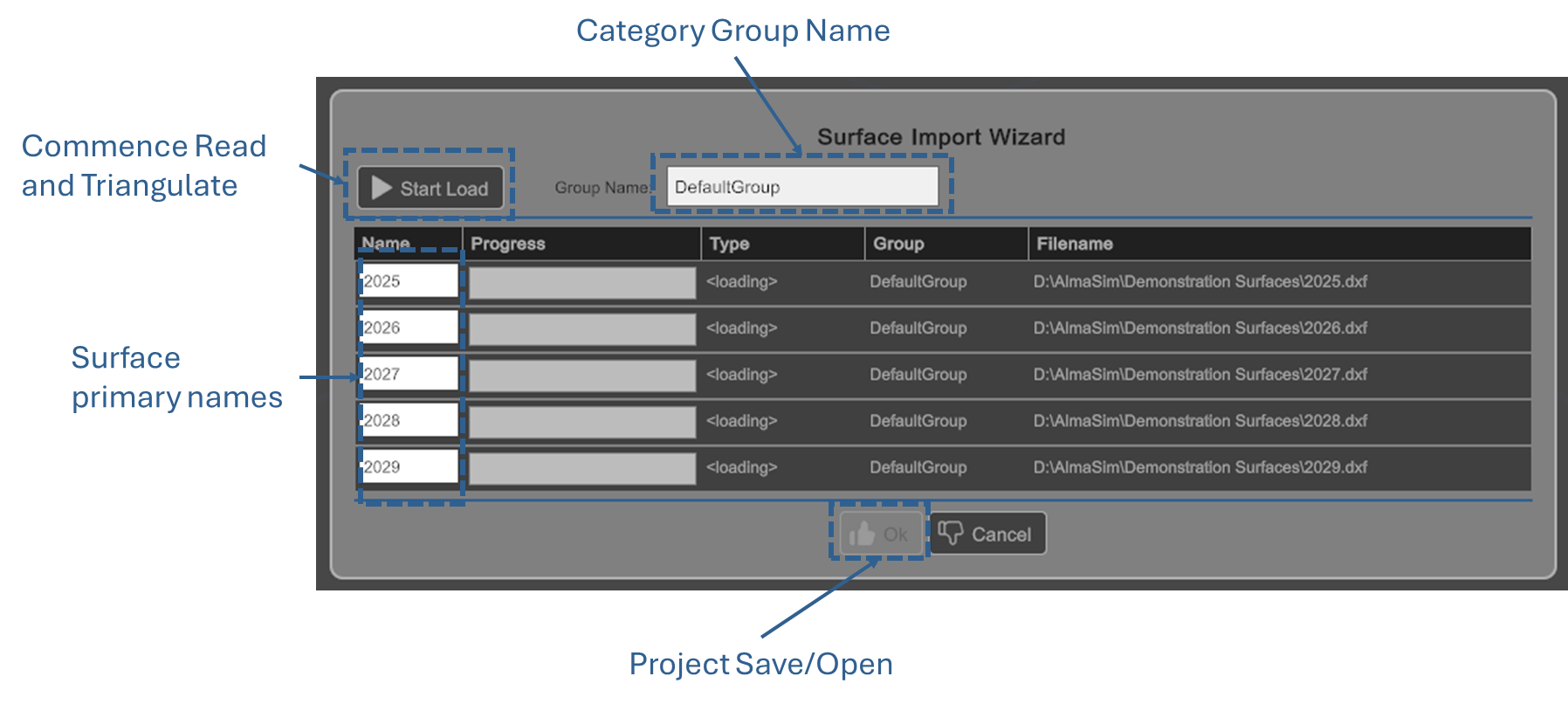
The below example shows five large (~120MB ASCII DXF files) loaded in parellel.
Supported Format
DXF
Both Binary and ASCII versions of Autocad 2007+ are supported. 3DFace & Polyline3D are the typical DXF Entity types that allow for rendering surfaces. In the case of Polylines a custom Delaunay Triangulation algorithm is applied.
Alma Surf
AlmaSim custom surface file allows for incredibly fast save and load after importing from 3rd party sources (i.e. DXF)
Other Supported File Types
Other Formats may potentially by supported. Please raise a ticket if a particular format needs AlmaSim support