AlmaSim Preferences
 The user preferences in AlmaSim can be modified by first selecting the AlmaSim Preferences icon on the Right Hand Panel (at the bottom). This will expand the User Preferences on the Right Hand Panel.
tip
Selecting the icon while it is already open will collapse it.
Materials & Colours
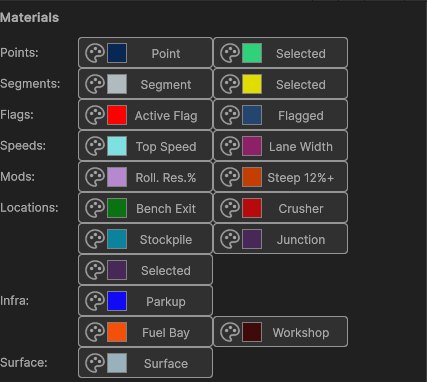
Various objects in the 3D Scene can have their default colours modified as a user preference.
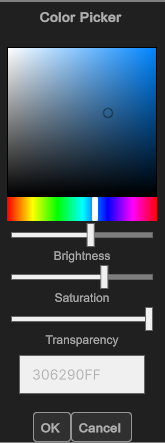 Colours are handled via the Colour Picker user interface.
To change a colour, select the object's Colour Preview or the Palette icon - this will produce the Colour Picker.
Select the desired combination of Hue, Brightness, Saturation and Transparency then press OK.
Draw Options

| Property | Description |
|---|---|
| Snap to nearest point distance (m) | Maximum snap-to-point distance for nearby points. |
Keyboard Camera Movements
| Property | Description |
|---|---|
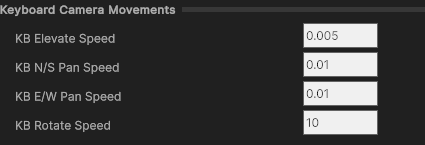
| KB Elevate Speed | Rate of elevation with [R-Shift, R-Ctrl] keys. |
| KB N/S Pan Speed | Rate of forward/back with [↑, ↓, Num8, Num2]. |
| KB E/W Pan Speed | Rate of left/right with [←, →, Num4, Num6]. |
| KB Rotate Speed | Rate of rotation with [Num7, Num9]. |
Mouse1 Camera Movements
| Property | Description |
|---|---|
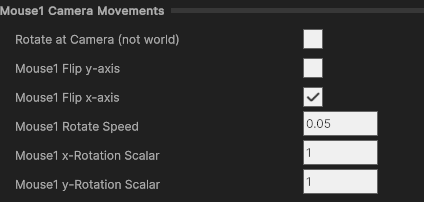
| Mouse1 Rotate Speed | Rate of rotation when Mouse1 dragged. |
| Mouse1 x-Rotation Scalar | Severity of left/right rotation. |
| Mouse1 y-Rotation Scalar | Severity of up/down rotation. |
| Rotate at Camera (not world) | Rotate at camera point, not world object. |
| Mouse1 Flip y-axis | Inverts y-rotation axis. |
| Mouse1 Flip x-axis | Inverts x-rotation axis. |
Mouse3 Camera Movements
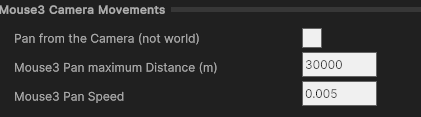
| Property | Description |
|---|---|
| Pan from the Camera (not world) | Pan from camera point, not world object. |
| Mouse3 Pan maximum Distance (m) | Max distance pan pivot from camera. |
| Mouse3 Pan Speed | Rate of movement when Mouse3 dragged (if pan from camera). |
MouseWheel Camera Movements
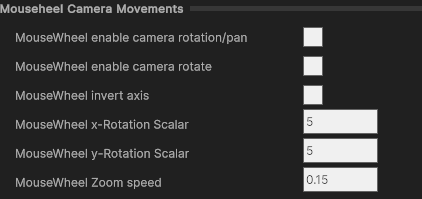
| Property | Description |
|---|---|
| MouseWheel x-Rotation Scalar | Rate of x-axis rotation with wheel. |
| MouseWheel y-Rotation Scalar | Rate of y-axis rotation with wheel. |
| MouseWheel Zoom speed | Rate of zoom with wheel. |
| MouseWheel enable camera rotation/pan | Rotate/pan toward cursor position. |
| MouseWheel enable camera rotate | Rotate toward cursor instead of pan only. |
| MouseWheel invert axis | Inverts axis from off-centre wheel movements. |
Camera Animation Settings
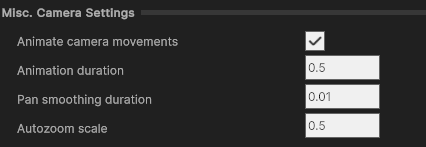
| Property | Description |
|---|---|
| Animate camera movements | Enables smooth transitions over time. |
| Animation duration | Time (sec) for animation transition. |
| Pan smoothing duration | Time (sec) for pan smoothing to prevent jerkiness. |
| Autozoom scale | Ratio of object space for camera at set angles. |
Miscellaneous Display
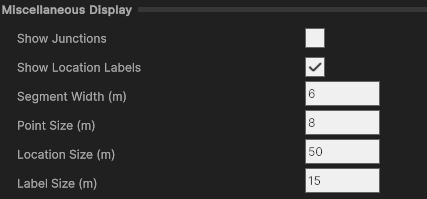
| Property | Description |
|---|---|
| Segment Width (m) | Width of drawn segment in scene. |
| Point Size (m) | Diameter of point connecting segment ends. |
| Location Size (m) | Size of promoted location objects. |
| Label Size (m) | Size of location labels. |
| Show Junctions | Shows junctions >2 segments without promotion. |
| Show Location Labels | Shows location name above object. |
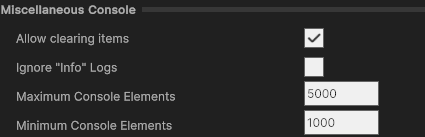
Miscellaneous Console
| Property | Description |
|---|---|
| Allow clearing items | Retains min elements after max reached. |
| Ignore "Info" Logs | Removes Info-type logs. |
| Maximum Console Elements | Clears console at this line count. |
| Minimum Console Elements | Retained lines after clear. |