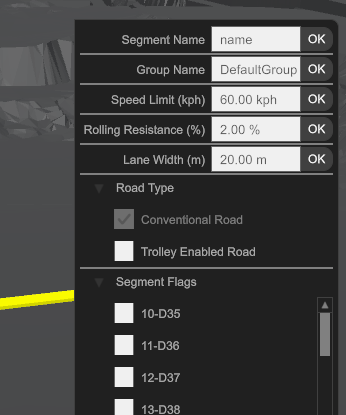
Segment Properties
The Segmenet Properties are accessible by first selecting the Segment (or multiple segments) and right-mouse clicking to activate the context menu.
| Property | Type | Description |
|---|---|---|
| Segment Name | Text | The Primary name of the segment |
| Group Name | Text | The Group name of the segment to support filtering and grouping |
| Speed Limit (kph) | Number | The maximum speed limit (kph) for this segment for Loaded and Empty |
| Rolling resistance (%) | Number (%) | The Rolling Restiance (% effective grade) for this segment |
| Lane Width | Number | The Width of the lane (m) for determining the truck's Speed Limit |
| Road Type | True/False | The type of road. This will associate any rimpull or retard profiles with this same road type if available |
| Scenario Flag | True/False | Enable / Disable segments based on applied Scenario Flag |