Draw modes
Three drawing modes allow for the creation of segments and nodes with varying levels of constrains.
Toolbar
The toolbar on the top-middle holds the following types of tools
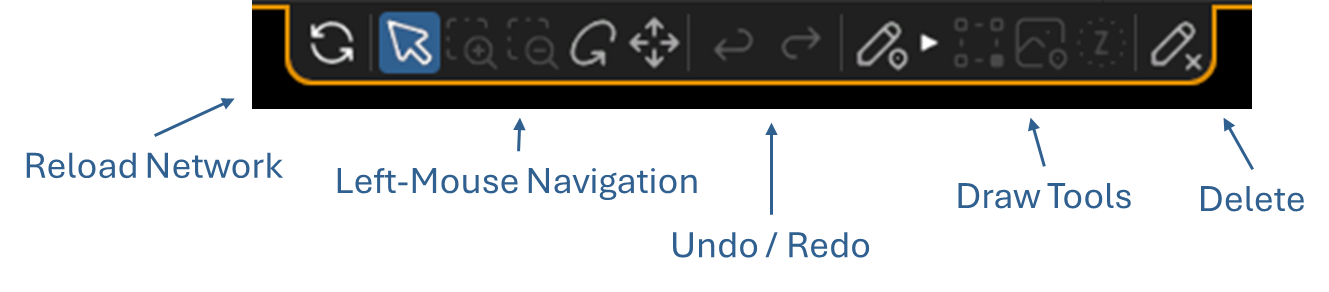
| icon | label | description |
|---|---|---|
 | Active Draw | When toggled, draw options activate (Shortcut D) |
 | Snap to Point Only | When toggled, only joins are allowed |
 | Snap to Surface | When toggled, snap tp surface as well as joins are allowed |
 | Snap to elevation | Disabled. When toggled, all points will be placed at the specified Elevation. (in development) |
 | Delete | When toggled, any selection in the scene will trigger automatic delete |
Pressing D toggles the Draw tool on and off
Pressing Q, W or E resets the starting position of the proposed segment
Draw by Surface
While in Draw Mode, this tool only allows the creation of points and segments that coincide with a Surface. The 'Z' part of the 3D vertex will snap to the 'Z' part of the Surface closest to the camera.
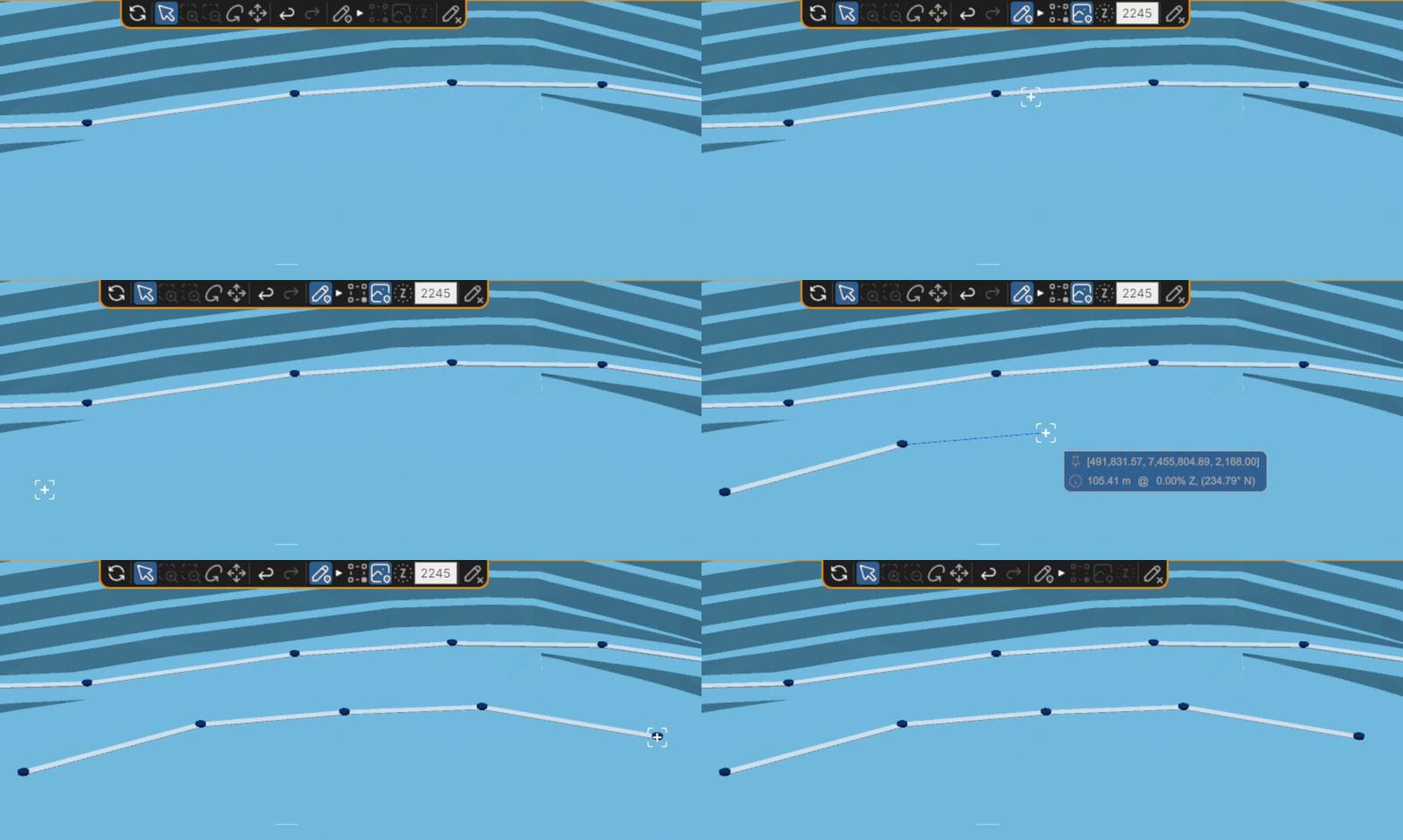
Shortcut W (while in Draw D Mode)
Draw by Connect
While in Draw Mode, this tool only allows the creation of new segments from existing points. A segment can be created by connecting two existing points, or by attaching an existing point to an existing segments (which creates a new point at the intersection of the existing segment)
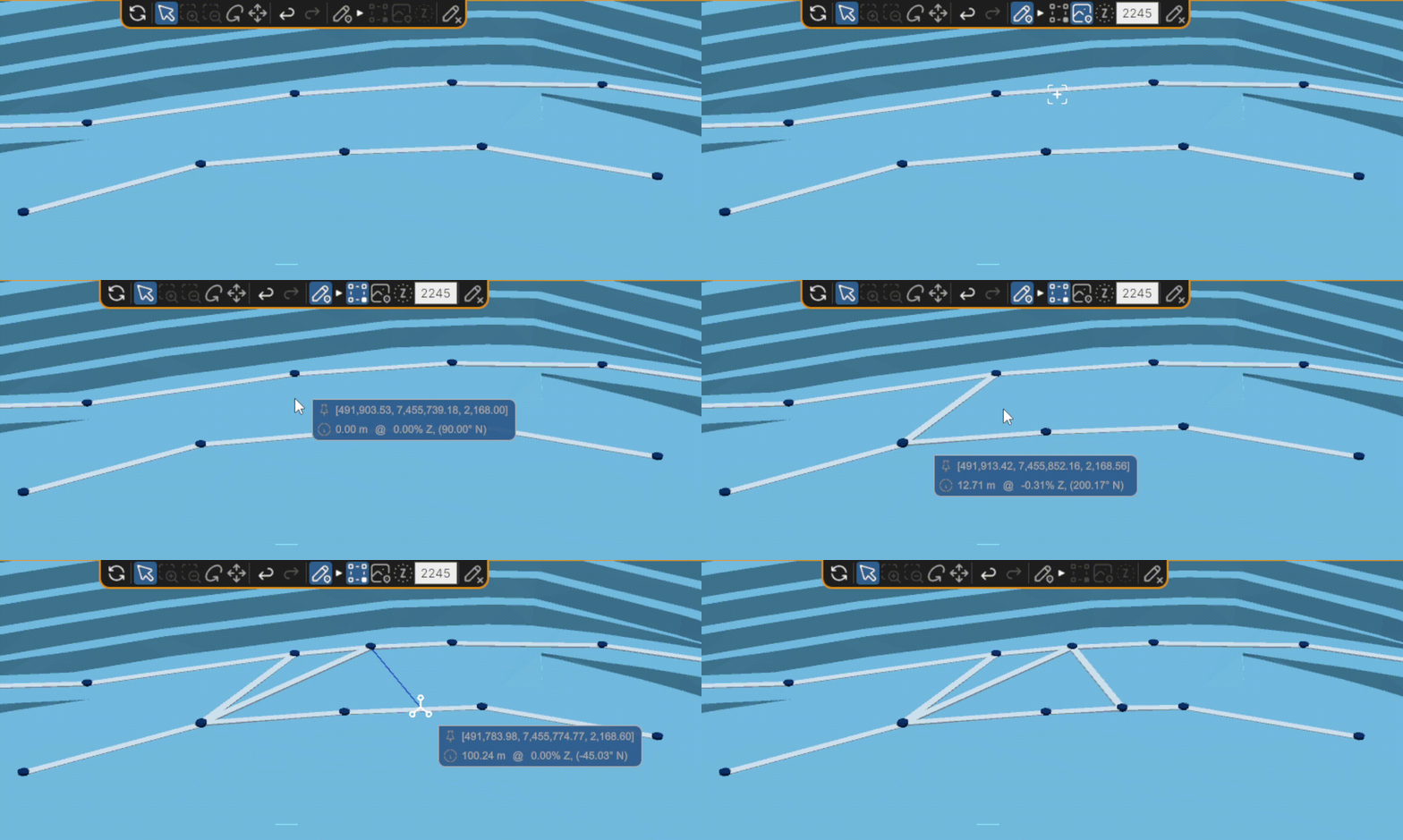
Shortcut Q (while in Draw D Mode)
Draw by Elevation
While in Draw Mode, this tool allows the create of new segments entirely from a reference 'Z' elevation.
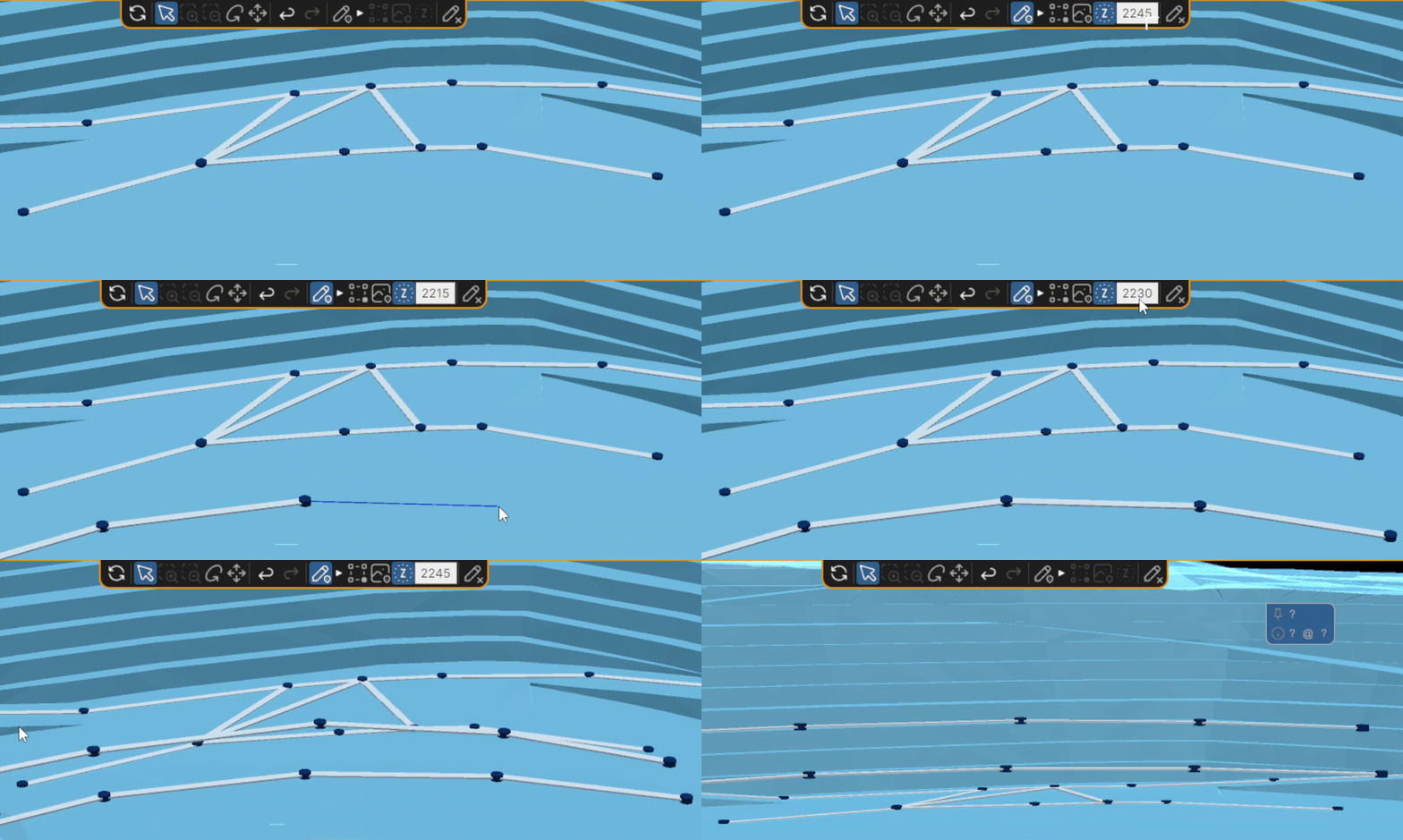
Shortcut E (while in Draw D Mode)