Mine Planing Module
The Mine Plan Module allows integrating a time-base Mine Plan and exporting the associated haulage simulations (travel time, fuel burn, etc) for LOM and Techno Economic Analysis.
CSV Mapper
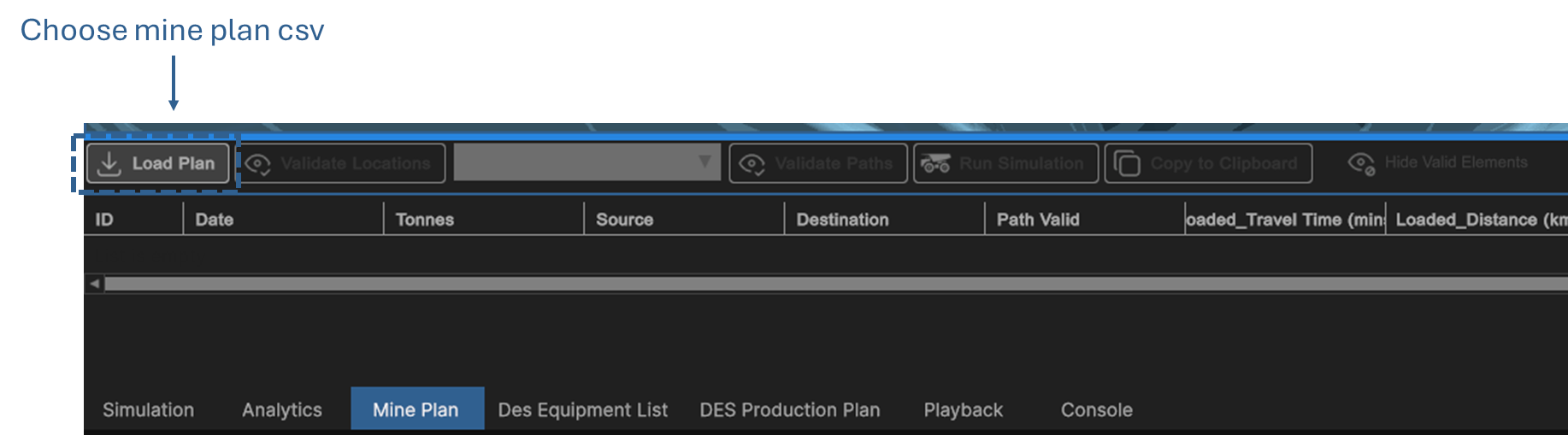
To import a CSV mine plan, navigate to Analyse > Mine Plan and selected the Load Plan button and select the desired mine plan from the file chooser dialog.
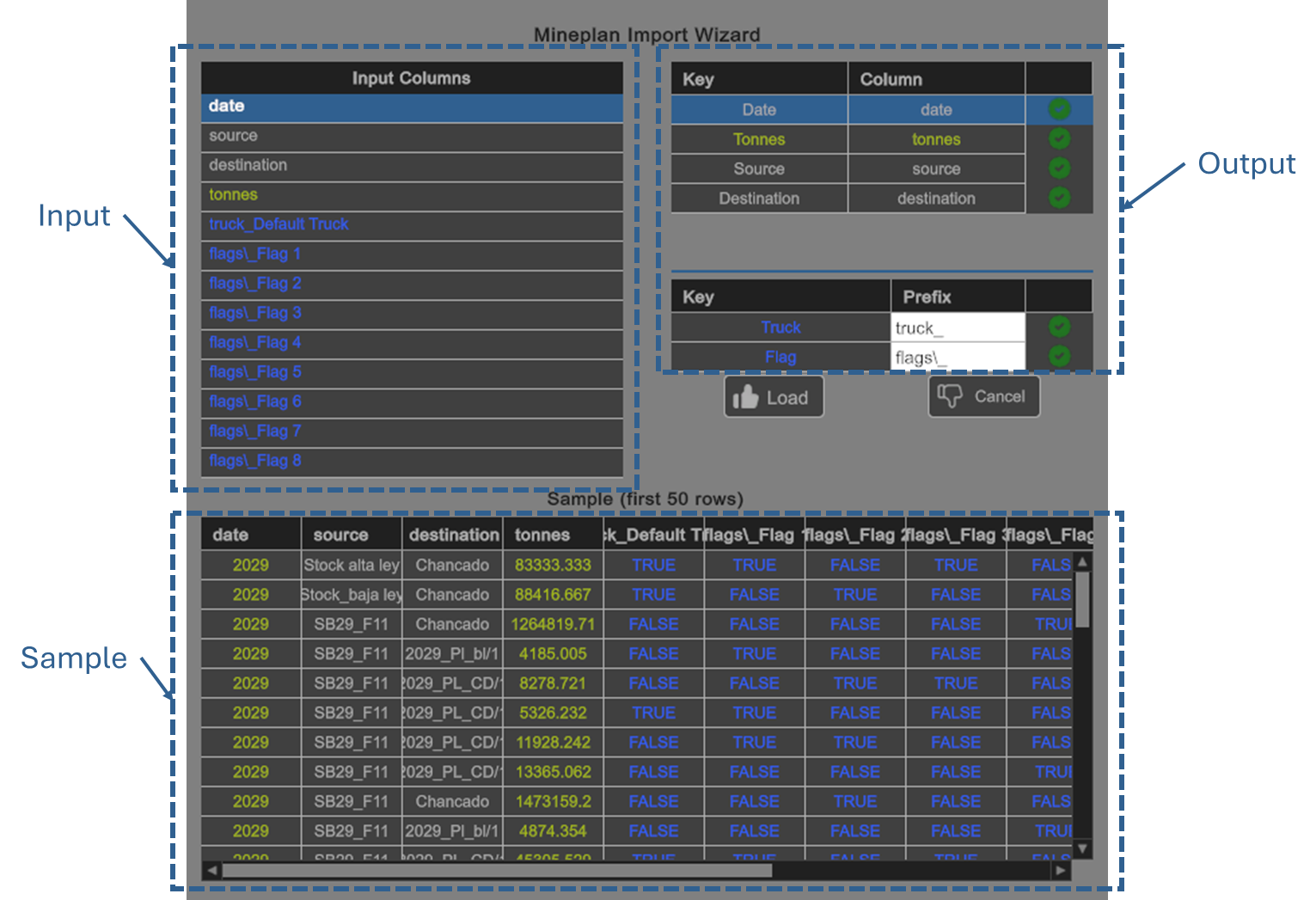
Once imported, the following CSV Mapping Wizard will be display. The various input fields (left) must be mapped correctly to the required output fields (right). The icons on the right indicate a successfull mapping. A sample is displayed on the bottom as a visual indicator of a correct file format.
Validate Locations
The first step in integrating a full mine plan to is ensure that all naming conventions are consitent with no missing nodes in the 3D Network. Initially, all rows will have an orange background indicating that the validation has either.
Pressing Validate Locations runs a comparison between all Node names in the mine plan with all Node names in the 3D Network.

Once finished, valid rows will have a Green background while failed rows will remain in Orange.
Toggling the Hide Valid Elements will filter the list to only display invalid rows to simplify cleaning
Validate Path
The Path validation step is to ensure that the desired Truck can physically traverse between each Source and Destination combination with consideration for the Scenario Flags active in each row.

Again, toggling the Hide Valid Elements will filter the list to only display invalid rows for cleansing.
Run Mine Plan Simulation
The Run Simulation button will simulate each row's Source and Destination combination with consideration for the Scenario Flags for the selected Truck. The results in green indicate a successful simulation. Orange items, corresponding to failed validation steps will not be run.

Export
The results of integrating the mine plan can be exported. Pressing the Copy to Clipboard button will allow pasting into e.g. Excel
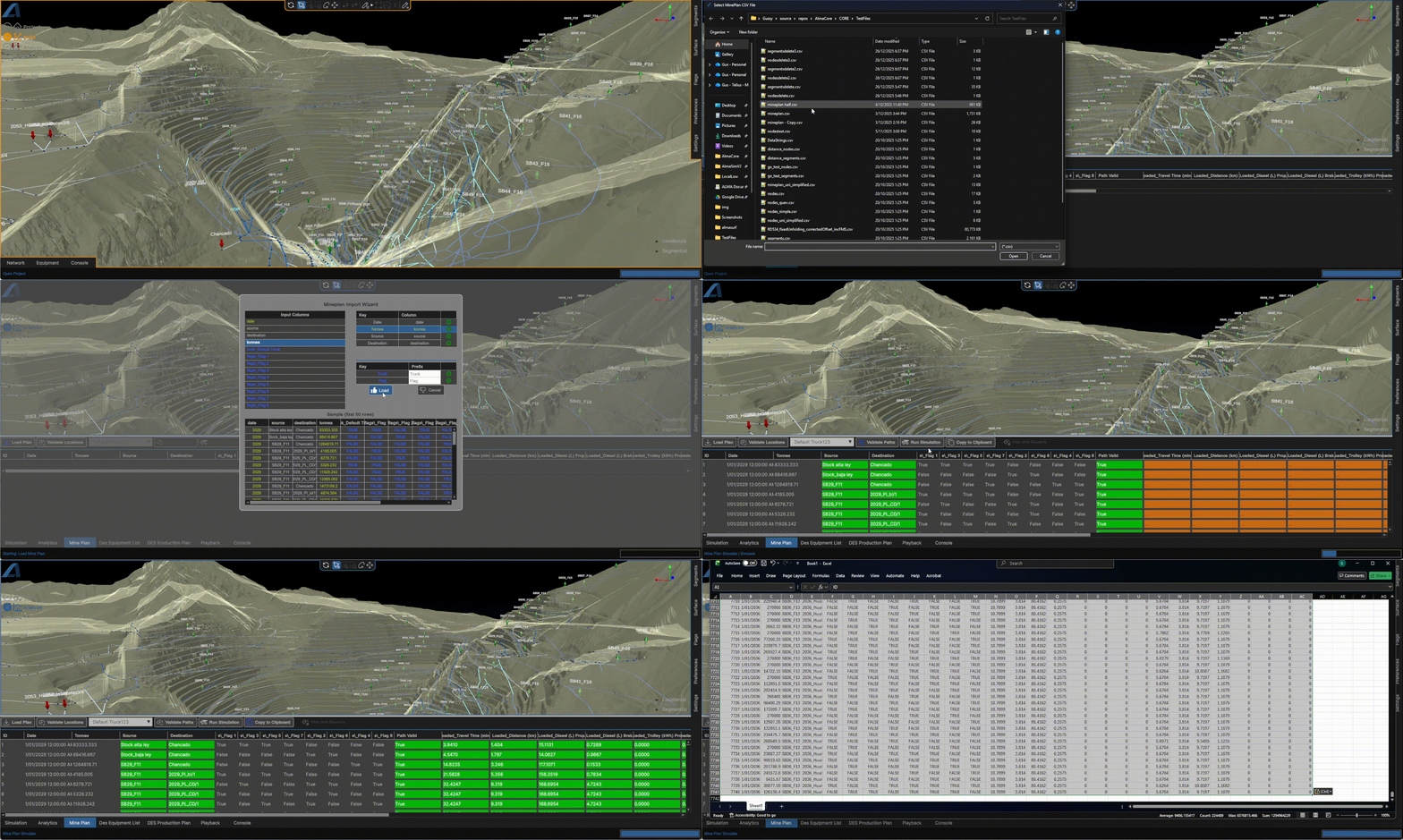
Example Mine Plan Integration